Choose your starting point.
Explore vocabulary from N5 through N1. Begin where you feel comfortable, then make room for something new.
N5 / N4 / N3 / N2 / N1綴る / A LITTLE PRACTICE, EVERY DAY
You know more words than you think. Give them a place on the page. A calm space to turn English sentences into Japanese, and build a writing habit that stays with you.
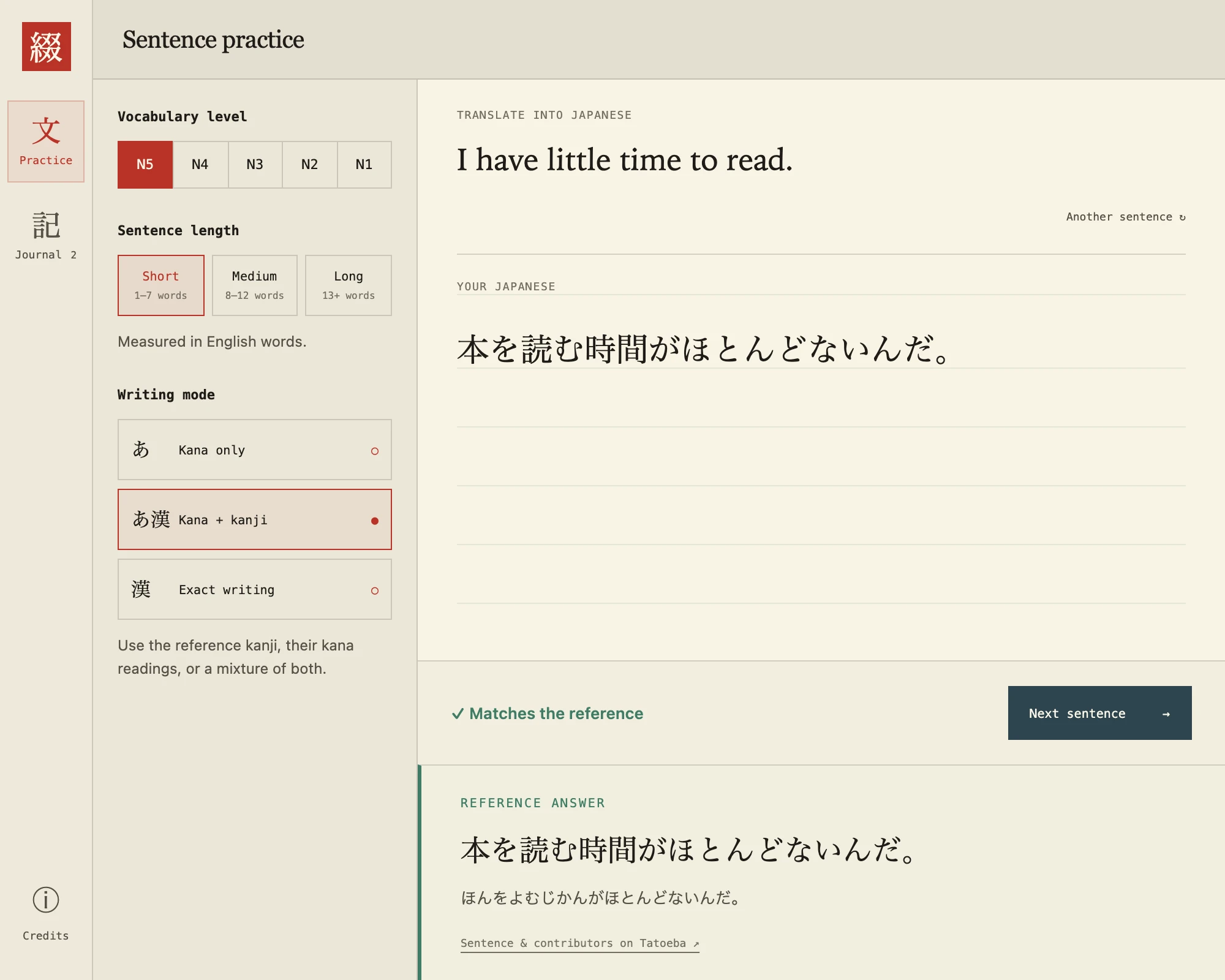
One sentence.
One step forward.
A GLIMPSE OF YOUR PRACTICE SPACE
LESS SETUP. MORE WRITING.
Just enough structure to get you started.
Just enough freedom to make it yours.
Explore vocabulary from N5 through N1. Begin where you feel comfortable, then make room for something new.
N5 / N4 / N3 / N2 / N1Pick a short prompt for a spare moment, or a longer sentence when you want to stretch. Your pace, your page.
SHORT / MEDIUM / LONGStart with kana, mix in kanji, or practice the exact reference spelling. Compare your writing without losing your train of thought.
KANA / MIXED / EXACTA SIMPLE DAILY RITUAL
Choose a vocabulary level, sentence length, and writing mode.
Read the English prompt. Type your answer with your Japanese keyboard.
See the reference and its kana reading. Revisit your writing in your journal.
YOUR WORDS HAVE A HOME
Your journal keeps your latest 100 entries, so you can look back at your writing and learn from the references. No account to set up. No streak to protect.
History stays in this browser. Answers go to the app server for comparison, without being saved there.
No. Open the app and start practicing. Your preferences and latest 100 journal entries are saved in this browser.
Yes. Kana-only mode accepts either script. Flexible mode lets you mix the reference kanji with their supplied kana readings. Exact mode asks you to match the reference’s spelling. Spaces and common sentence punctuation are ignored in every mode.
No. Japanese often has more than one valid translation. Tsuzuru compares your writing to a supplied reference and its readings; it does not judge every possible translation.
The labels are community estimates for target vocabulary. They are not certified difficulty levels for whole sentences, and examples may contain harder grammar. The exercise bank is currently in beta and still needs language review.
Tsuzuru currently uses typed Japanese input. You can use your device’s Japanese keyboard or handwriting keyboard to enter text. A drawing canvas is not part of the app yet.
OpenJLPT, incorporating EDRDG’s JMdict and KANJIDIC2, Jonathan Waller’s vocabulary lists, and Tatoeba sentence contributors. You can find source credits, licenses, and the full data disclosure on our Data & credits page.
THE NEXT SENTENCE IS YOURS
No account needed. Start with one sentence.